Important:
PayPal is available to companies in supported countries (see the current list in PayPal’s docs: (developer.paypal.com/api/rest/reference/country-codes/)).
Step 1. PayPal account
Create a PayPal Business account and finish activation.
Step 2. PayPal credentials
In the PayPal Developer Dashboard (developer.paypal.com/dashboard/ ) open Apps & Credentials and:
1. Switch to Live mode (for real payments; Sandbox mode is for testing only and won’t charge customers).
2. Click Create App, give it a name, e.g. `UDS`, app type Merchant.
3. Once created, copy the Client ID and Secret (the Secret is revealed via the Show button).
4. Make sure the app accepts payments (Accept Payments — enabled by default).
Step 3. Enable online payment functionality in UDS Business: go to Settings – Online store – Payment methods and click Connect.
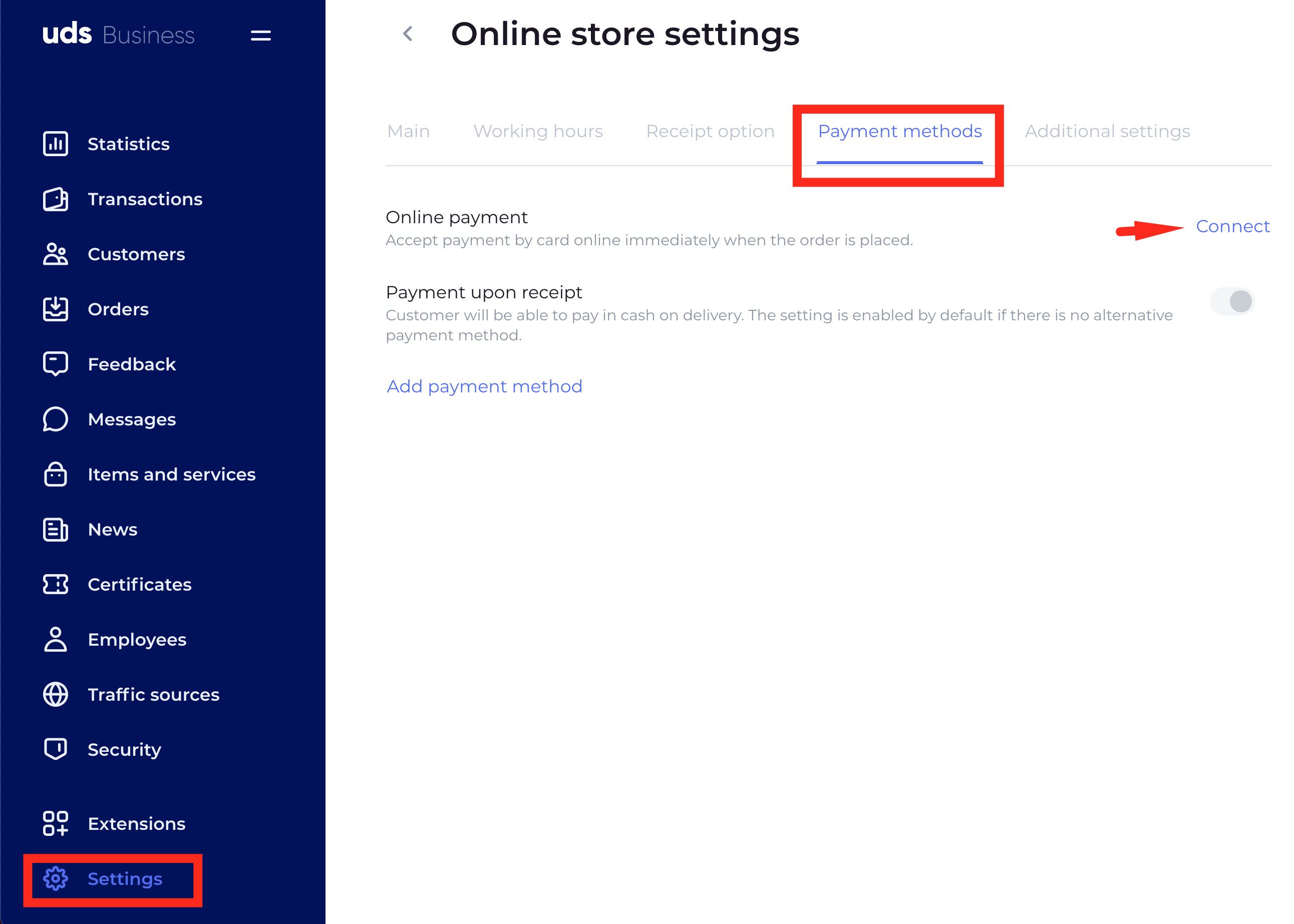
Select PayPal, enter the prepared credentials (Client ID and Client Secret) and click "Connect"